Bring your own AI key
Which keys work, where to paste one, what it costs you, and what Truthbased can only do once it has one.
Why you need one
Truthbased uses AI for two things: reading your pages into facts, and asking AI engines what they say about your brand. Both run on an AI account that you own. You pay OpenAI, Anthropic, Perplexity or OpenRouter directly, at their price, and we add nothing to that bill. Your key is stored encrypted and is never shown again.
Your first pages are read on our key so you can try the product. After that, and for everything that asks an AI about you, Truthbased needs yours. Until it has one, the weekly check of what AI says about you does not run, and you will get a reminder email about it.
Which keys work
| Provider | Key starts with | Where to get one |
|---|---|---|
| OpenAI | sk- | platform.openai.com/api-keys |
| Anthropic | sk-ant- | console.anthropic.com |
| Perplexity | pplx- | perplexity.ai/settings/api |
| OpenRouter | sk-or- | openrouter.ai/keys |
One key is enough to start. OpenAI or Anthropic covers reading pages and most checks. Perplexity adds the live, web-searching engine to the weekly check. If you want to compare engines, add more than one.
Add a key for your whole account
This is the usual way. Every brand you own uses it unless you give a brand its own key.
-
Open Account from the menu under your name, then LLM API keys.
-
Paste the key and press Add key. Truthbased reads the prefix to tell which provider it is.
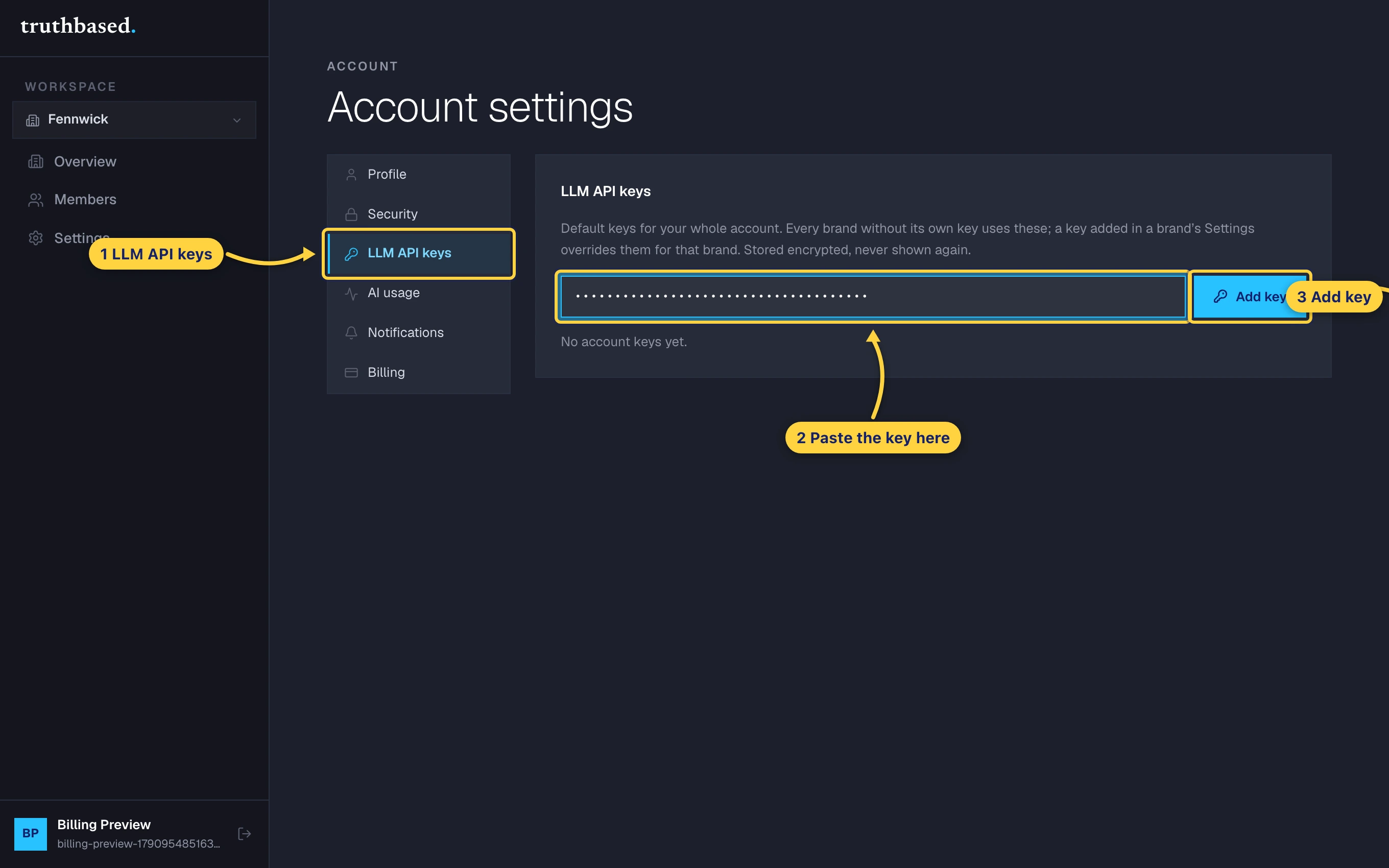
Account settings, the LLM API keys tab, the key field and the Add key button. -
The provider now shows as configured. To rotate a key, add the new one and remove the old.
Or a key for one brand only
Useful for agencies where each client pays for their own AI use.
-
Open the brand, then Settings, then the API keys tile.
-
Paste a key in the row for its provider and press Save keys. Rows left blank keep whatever they had.
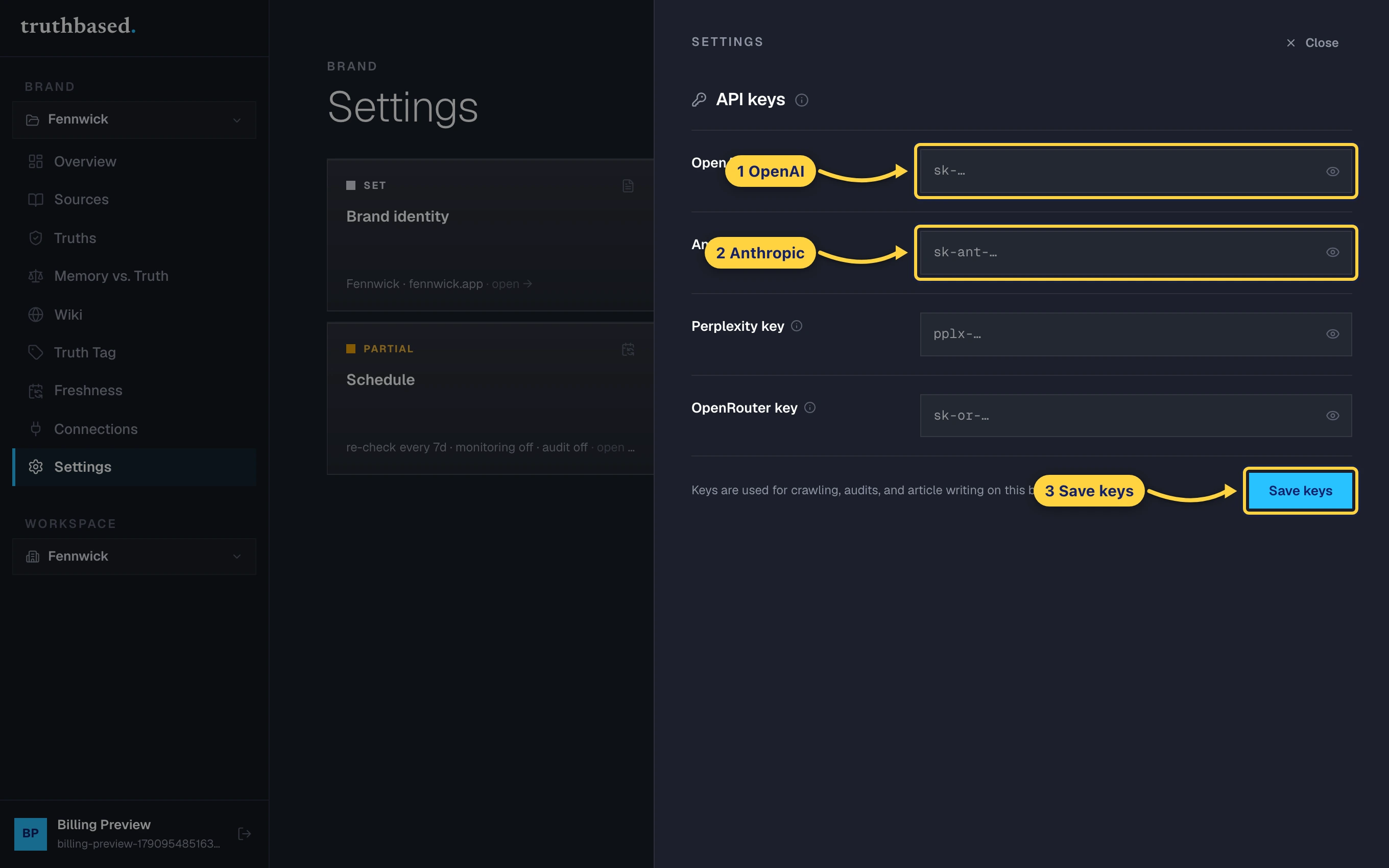
The brand's API keys drawer, one row per provider, and Save keys.
A brand key overrides the account key for that brand only.
See what it unlocks
-
Open Memory vs. Truth in the brand menu. Pick a question a customer would ask, or type your own, and press Run the comparison.
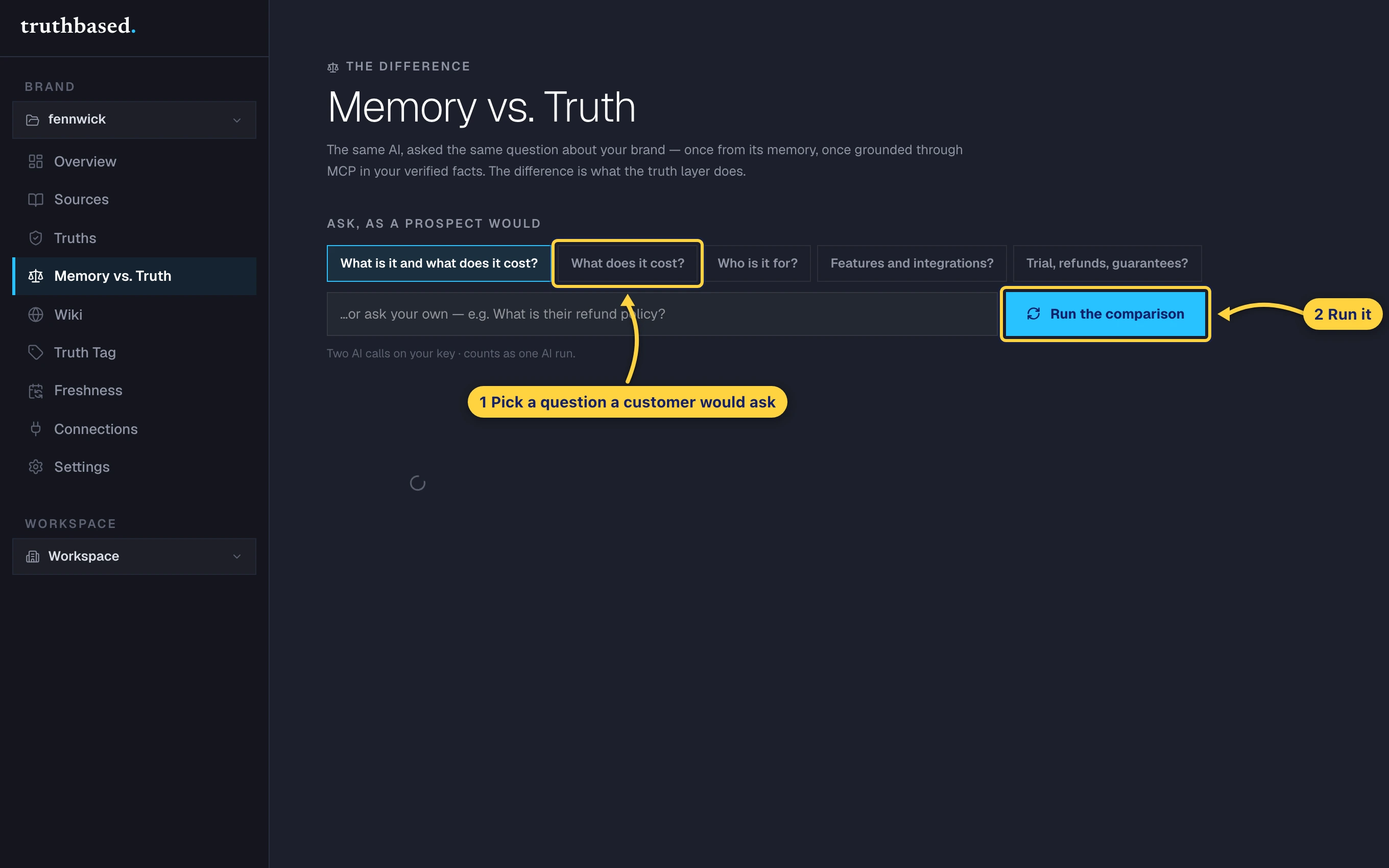
Memory vs. Truth: pick a question, then Run the comparison. -
The same AI answers twice: once from its memory, once grounded in your signed facts through MCP. Every claim in the memory answer is judged against your facts and marked right, wrong, outdated or unverifiable. This is the gap Truthbased closes.
-
From now on, the Overview page runs a check every week and emails you when an engine gets something wrong.
Where the free pages went
Under Account, then Billing, the meter called Free pages shows the pages we read on our key before you added yours. It is a one-time grant, and once it is used up every read runs on your key.
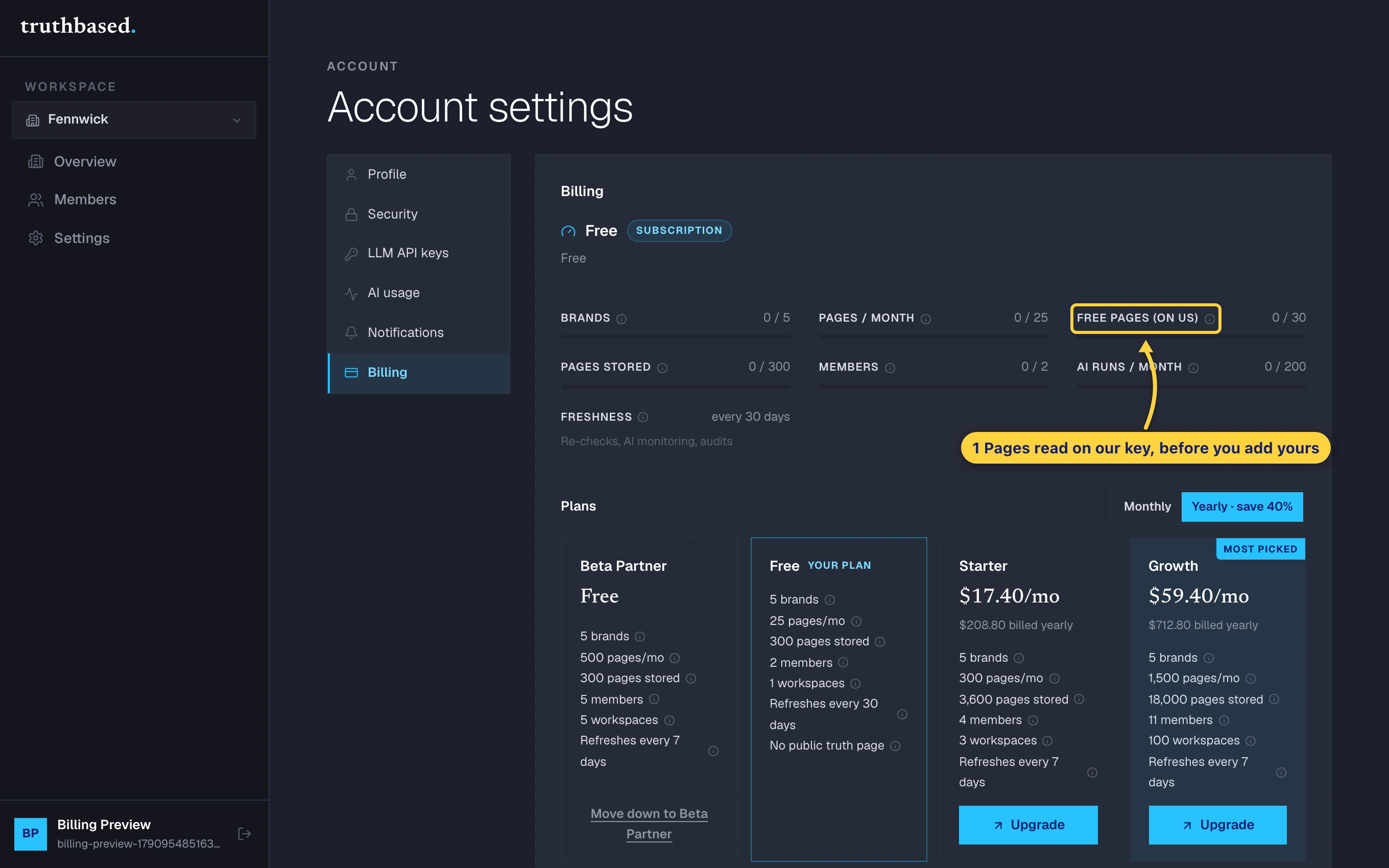
If something is off
- "Unrecognized key." The key did not start with one of the four prefixes above. Copy it again from your provider.
- Reads fail after adding a key. Check the provider's dashboard for billing. A new OpenAI or Anthropic account needs credit before the key works.
- You want to stop. Remove the key under LLM API keys. Your facts stay. Only the AI-powered parts pause.