Freshness
How often your site is re-read and re-checked, what your plan allows, and how to make it weekly.
Why it matters
A fact is only true for as long as your site says it. Prices change, teams grow, a feature gets renamed. Freshness is the schedule that notices: it re-reads your pages, updates the facts that changed, re-asks the AI engines, and re-checks what your pages claim. Nothing in the schedule costs you pages or AI runs unless something actually changed.
The four jobs
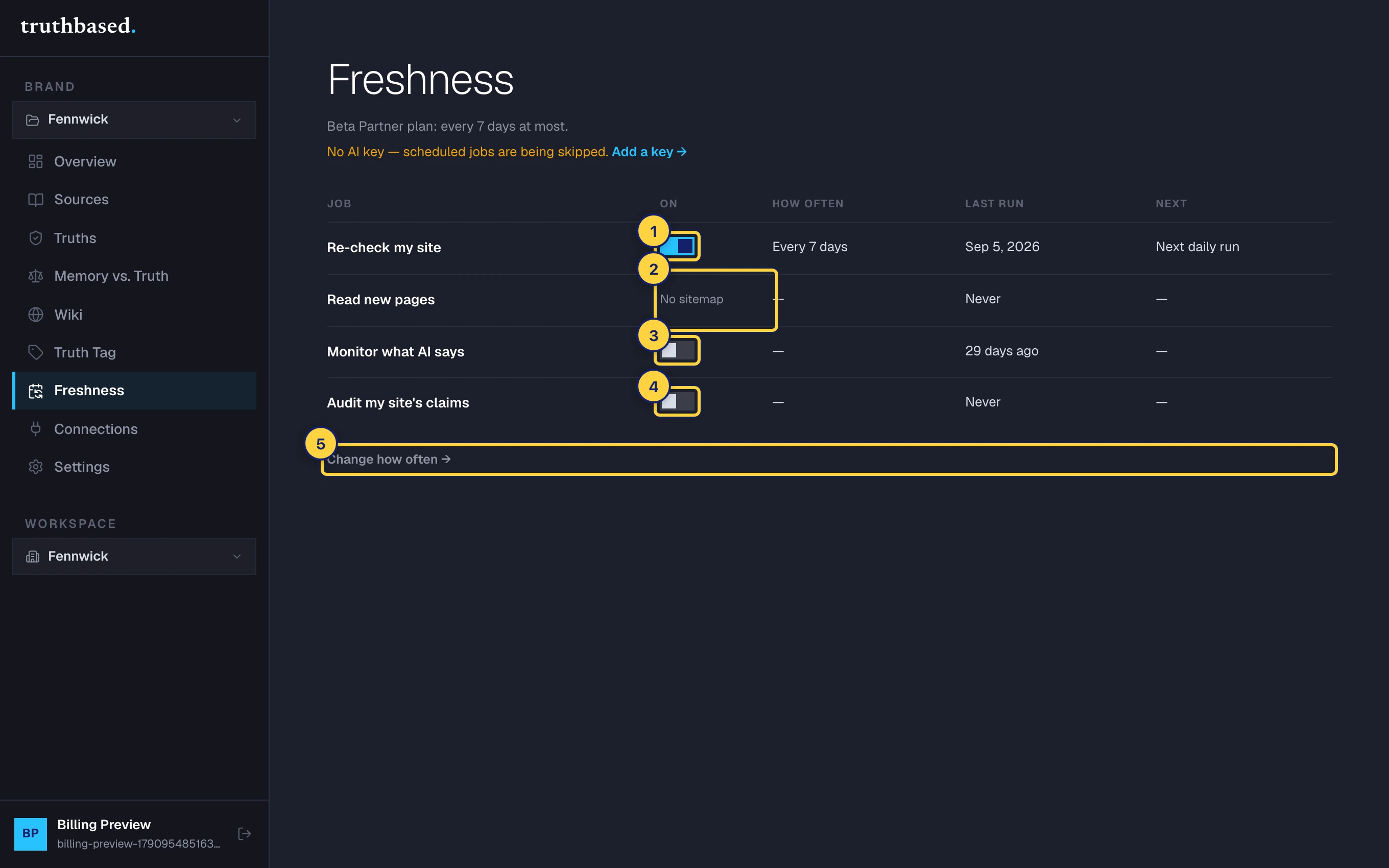
Open the brand, then Freshness in the left menu. One table, one row per job, with a switch, how often it really runs on your plan, when it last ran and what it found, and when it runs next.
| Job | What it does | Costs |
|---|---|---|
| Re-check my site | Re-reads every crawled page. A changed page updates its facts and can raise a contradiction. | Changed pages count against your monthly pages. Unchanged pages are free. |
| Read new pages | Checks your saved sitemap daily for pages added to your site. On weekly freshness they are read automatically, up to ten a day. Otherwise they are flagged in Sources for you to read. | Same as a read. |
| Monitor what AI says | Re-asks the engines about your brand and emails you when an answer that was right turns wrong. | AI runs on your key. |
| Audit my site's claims | Re-checks what your pages claim against your signed facts and updates the fix pack. | Changed pages use your key. |
The switches turn a job on or off. Re-check is on by default. Monitoring and the audit are off until you turn them on, because both spend AI runs on your key.
How often
Your plan sets a floor. A job can run slower than the floor, never faster.
| Plan | Floor |
|---|---|
| Free | Every 30 days |
| Starter, Growth, Agency | Weekly |
| Lifetime | Every 30 days |
| Freshness add-on, on Free or Lifetime | Weekly, and new pages are read automatically |
The line at the top of the Freshness page says which applies to you. If you set a job to every 7 days on a 30-day plan, the table shows "Every 30 days (set to 7)" so there is no surprise.
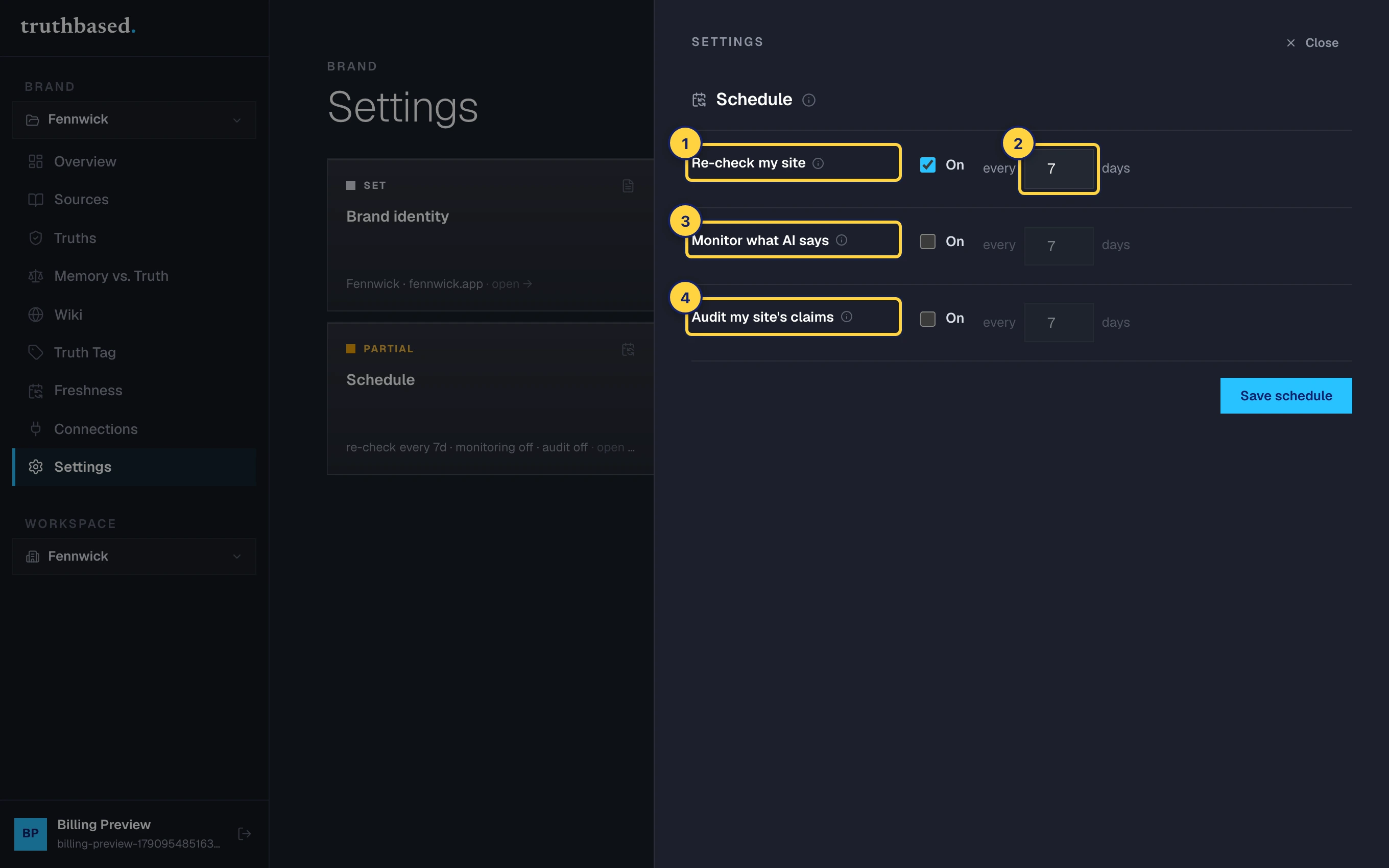
To change the number of days, press Change how often or open Settings, then Schedule.
Re-read right now
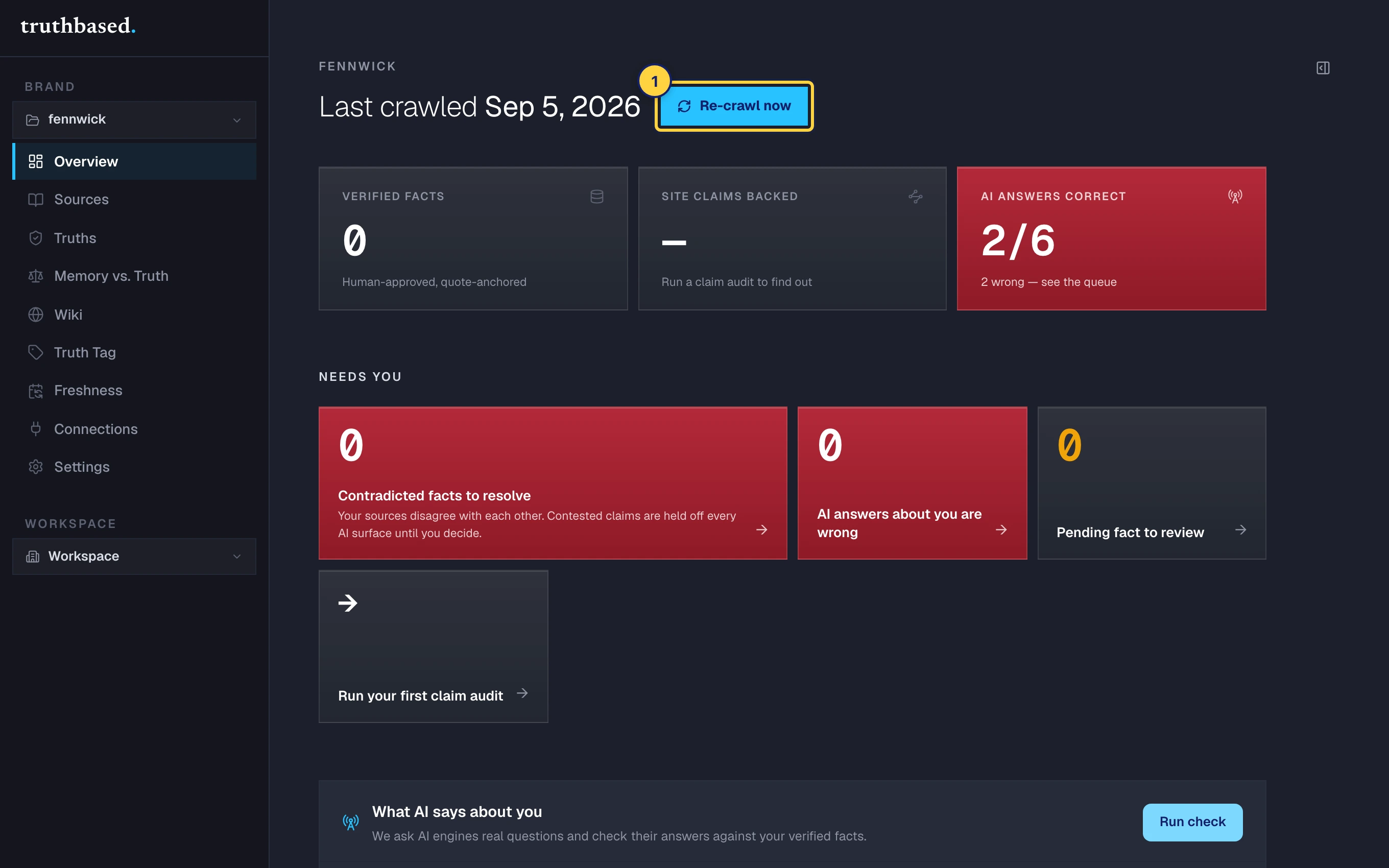
You do not have to wait for the schedule. On Overview, Re-crawl now re-reads every crawled page at once. The same rule applies: unchanged pages are free, changed pages use your page allowance. It needs your own AI key.
Make it weekly
On Free or a Lifetime plan, the Freshness add-on moves every job to weekly and switches on automatic reading of new pages. It is added from Account, then Billing, where the Freshness line shows your current cadence and the add-on card sits below the plans.
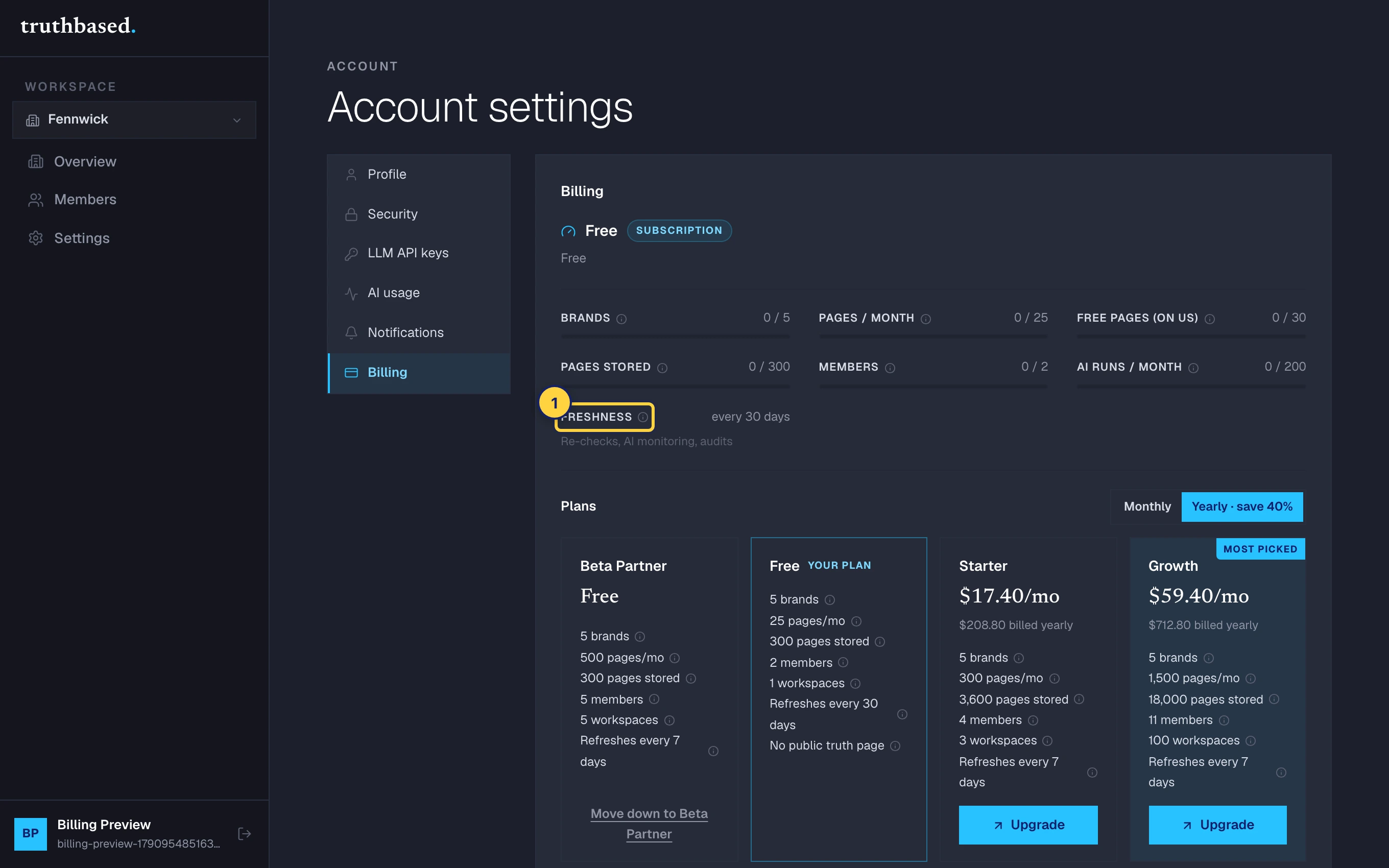
Paid monthly and yearly plans are already weekly and do not need it.
What you will hear from it
- An email after each re-read that found changes, with the facts waiting under Unverified.
- A drift alert when an AI answer that was right turns wrong.
- The weekly reminder, for as long as a brand has no AI key, because without one none of this runs.
What to do next
- Truths, and why you sign them off: changed facts land in Unverified and wait for you.
- Bring your own AI key: the jobs need one.