Prove your domain and publish your Truth page
Three things stand between your facts and the public page: a paid plan, proof that the website is yours, and no unreviewed facts. Here is each one.
What the Truth page is
A public page at truthbased.ai/t/your-brand that lists every fact a person on your side has signed off, with the source of each. People can read it. So can AI crawlers, which is the point. The same facts are served next to it as llms.txt, an entity map, schema.org data and an MCP endpoint for AI tools. Unpublished brands return a real 404 on all of them.
Before you start
Your Overview page keeps a checklist until the page is live. It tells you which of the three conditions is still open and gives you one button for the next step.
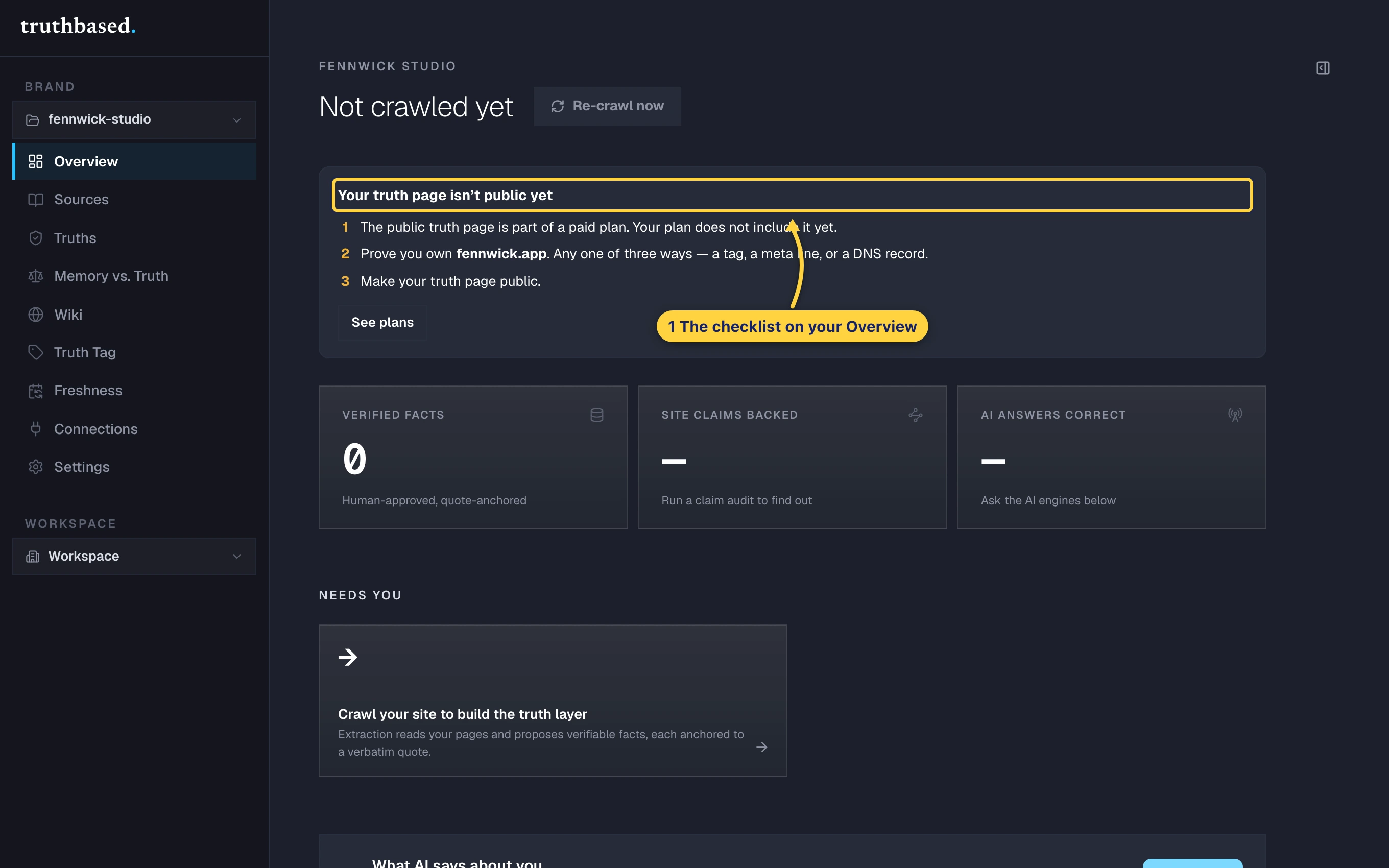
The three conditions, in the order they are checked:
- A paid plan. The public page is not part of Free. If the checklist says so, See plans takes you to Billing.
- Proof that you own the website. Covered below.
- No unreviewed facts. Every fact the machine accepted on its own must be seen by a person first. Review on the checklist opens the deck on exactly those facts. See Truths, and why you sign them off.
Prove you own the website
Pick either method. Both are done once and last until you change the brand's website.
-
Open the brand, then Settings, then the Truth Center tile. The ownership panel shows your two options.
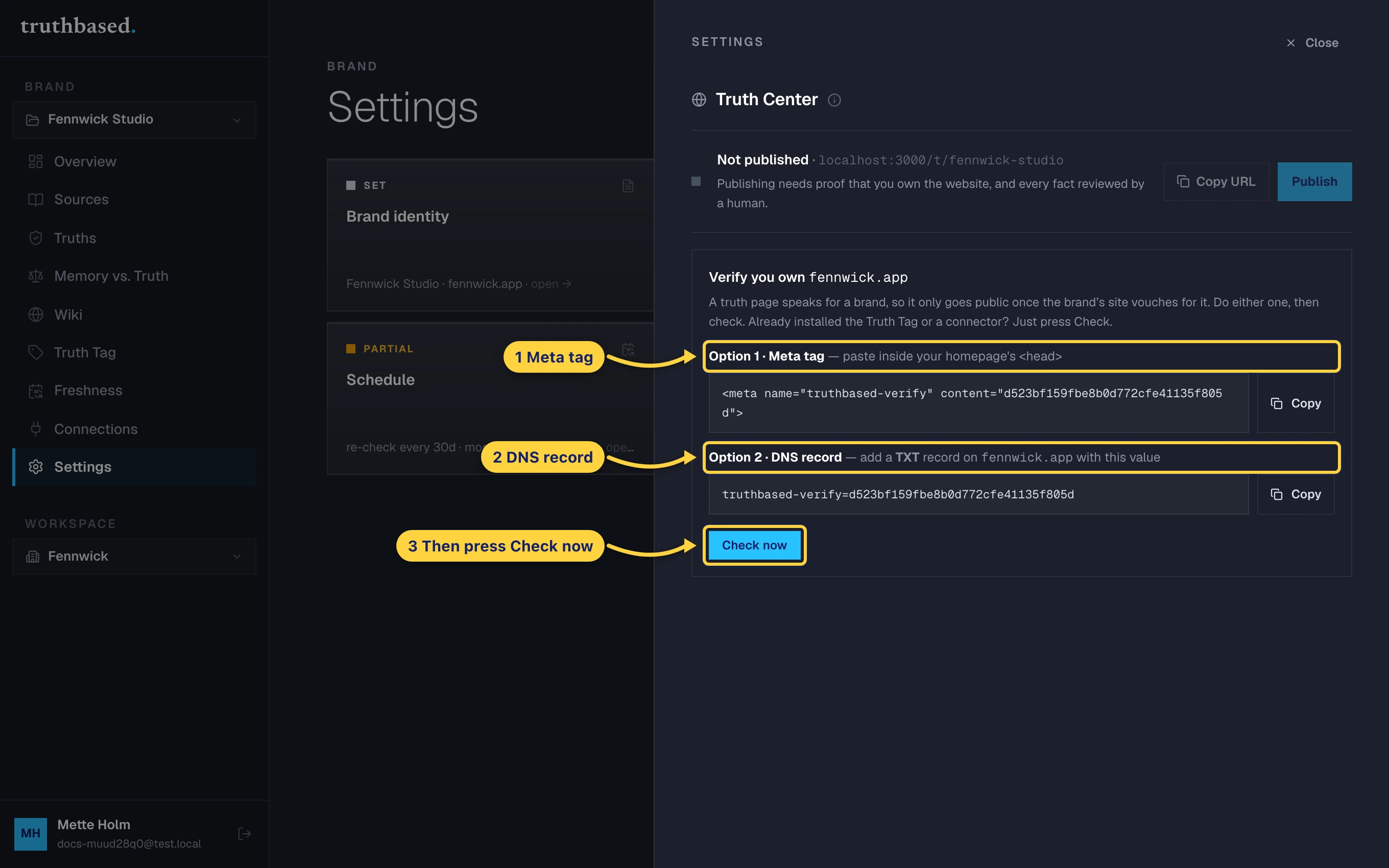
The Truth Center drawer: Option 1, the meta tag. Option 2, the DNS record. Then Check now. -
Option 1, a meta tag. Press Copy and paste the line inside the
<head>of your homepage. It looks like this, with your own token:<meta name="truthbased-verify" content="…">Any page builder with a "custom head code" or "site verification" box will take it. Publish the change.
-
Option 2, a DNS record. At your domain registrar, add a TXT record on the domain itself with the value shown, which starts with
truthbased-verify=. DNS changes can take a few minutes to show up. -
Press Check now. Truthbased fetches your homepage and your DNS and reports which proof it found.
Publish
-
Back in the same Truth Center drawer, once ownership is verified and the Unverified count is zero, press Publish. The row changes to Live with your address. Copy URL gives you the link.
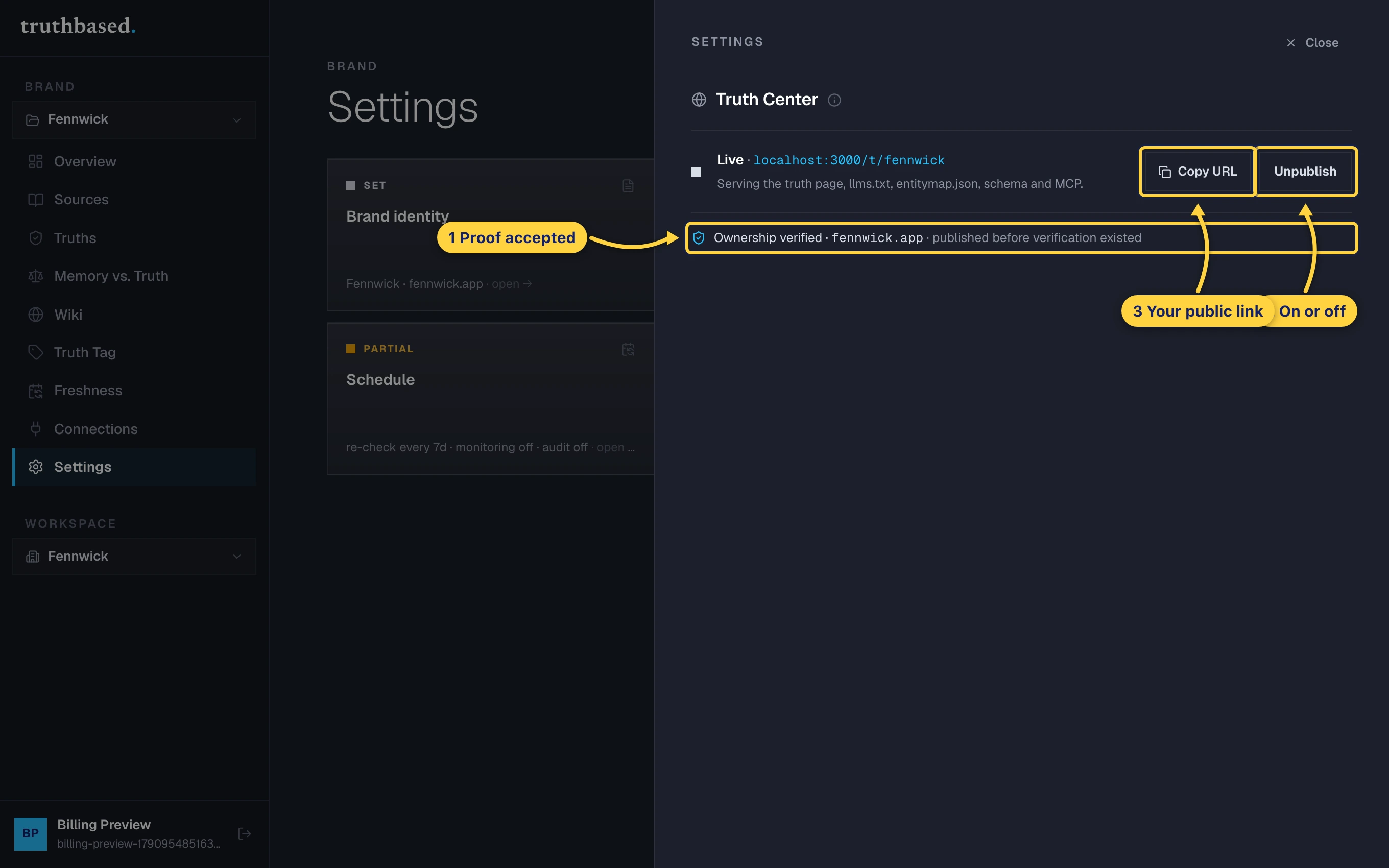
The Truth Center drawer when live: ownership verified, the Unpublish button, and Copy URL. -
Open the link. This is what every reader, and every AI, sees: your brand, the number of signed facts, when they were last verified, and each fact with its source.
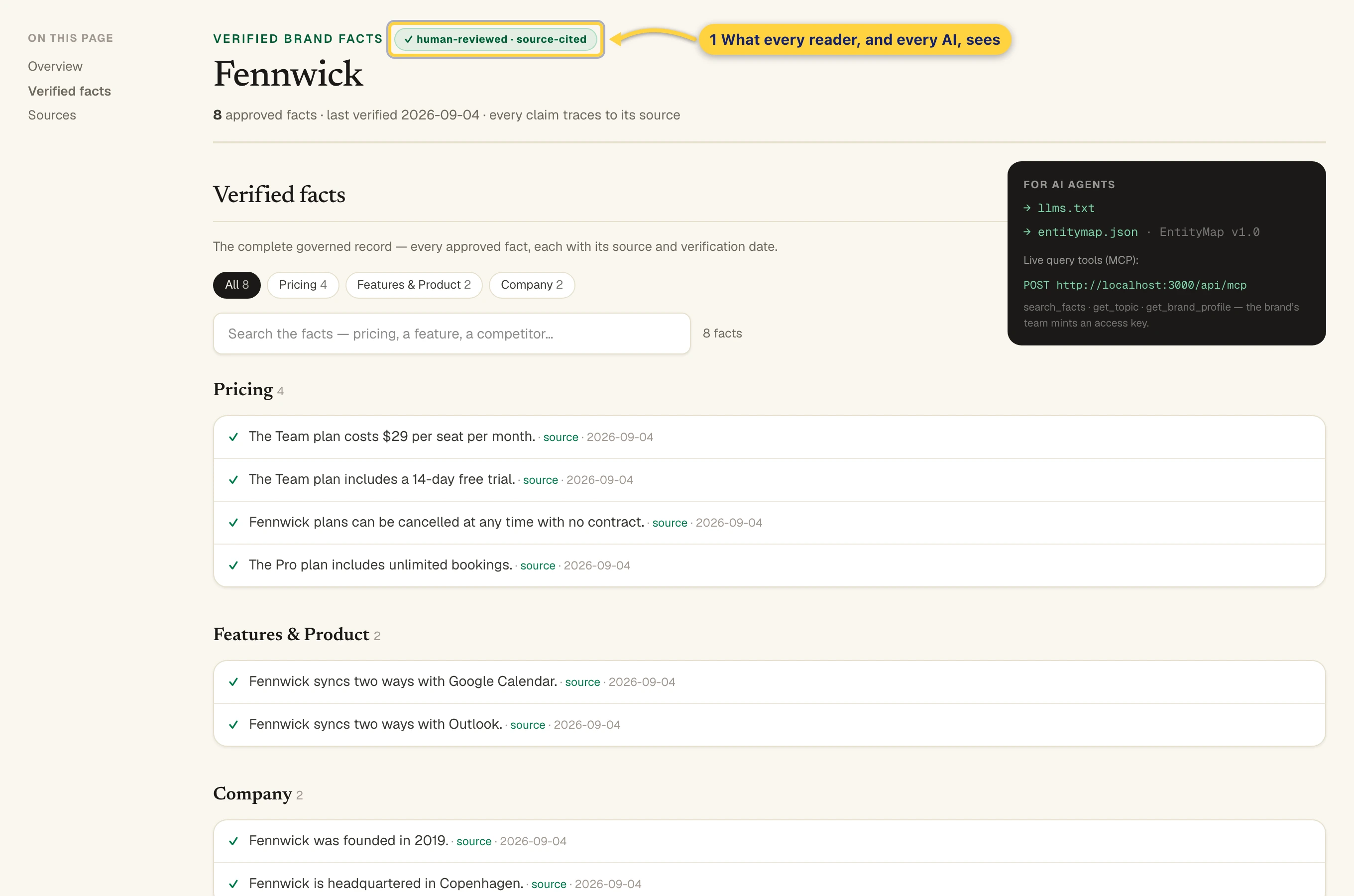
The public Truth page.
Unpublish takes it down at once. Changing the brand's website address also unpublishes it, because the proof belonged to the old address. Verify the new one and publish again.
Put it where AI looks
Publishing creates the page. Connections is where you make the rest of the web point at it.
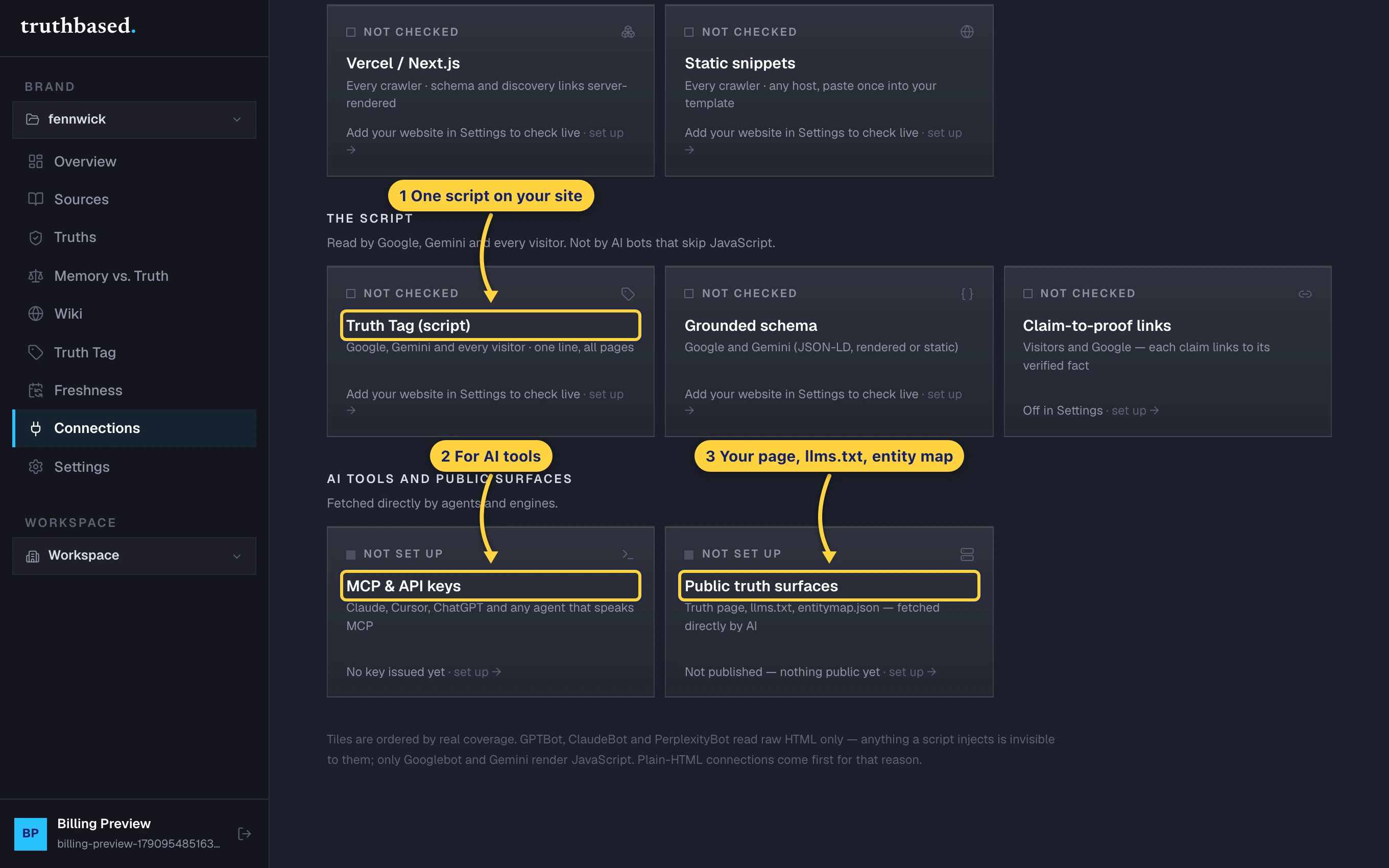
- Truth Tag. One script on your site. It links your pages to the proof behind each claim and tells crawlers where the facts live.
- MCP and API keys. Lets Claude, Cursor, ChatGPT and any MCP-speaking agent fetch your signed facts directly.
- Public truth surfaces. Your page,
llms.txtand the entity map, with their addresses, ready to add to your own site'sllms.txtor footer.
Each tile says whether it is connected, checked against your real site rather than assumed. Re-check my site runs that check again after you install something.
What to do next
- Link to your Truth page from your site's footer. It is the quickest way for crawlers to find it.
- Keep the Unverified count at zero. New facts from each re-read are held back from the page until signed.
- See Bring your own AI key to watch whether AI answers improve now that the page is out.