MCP and API keys
Give Claude, Cursor, ChatGPT or your own agent a key, and it answers about your brand from your signed facts, and says so when it has none.
What it is
MCP is the protocol AI tools use to call outside services. Truthbased runs an MCP endpoint for each brand. An AI tool with a key can search your signed facts, list topics, read one topic, or fetch your brand profile. It only ever sees facts a person signed off that have no open contradiction. When nothing matches, it is told not to invent a claim.
Each key reads one brand only. Keys are shown once, and Truthbased keeps only a hash.
Mint a key
-
Open the brand, then Connections, then the MCP and API keys tile.
-
Give the key a name so you know later which tool holds it, for example
claude-desktop. Press Mint a key.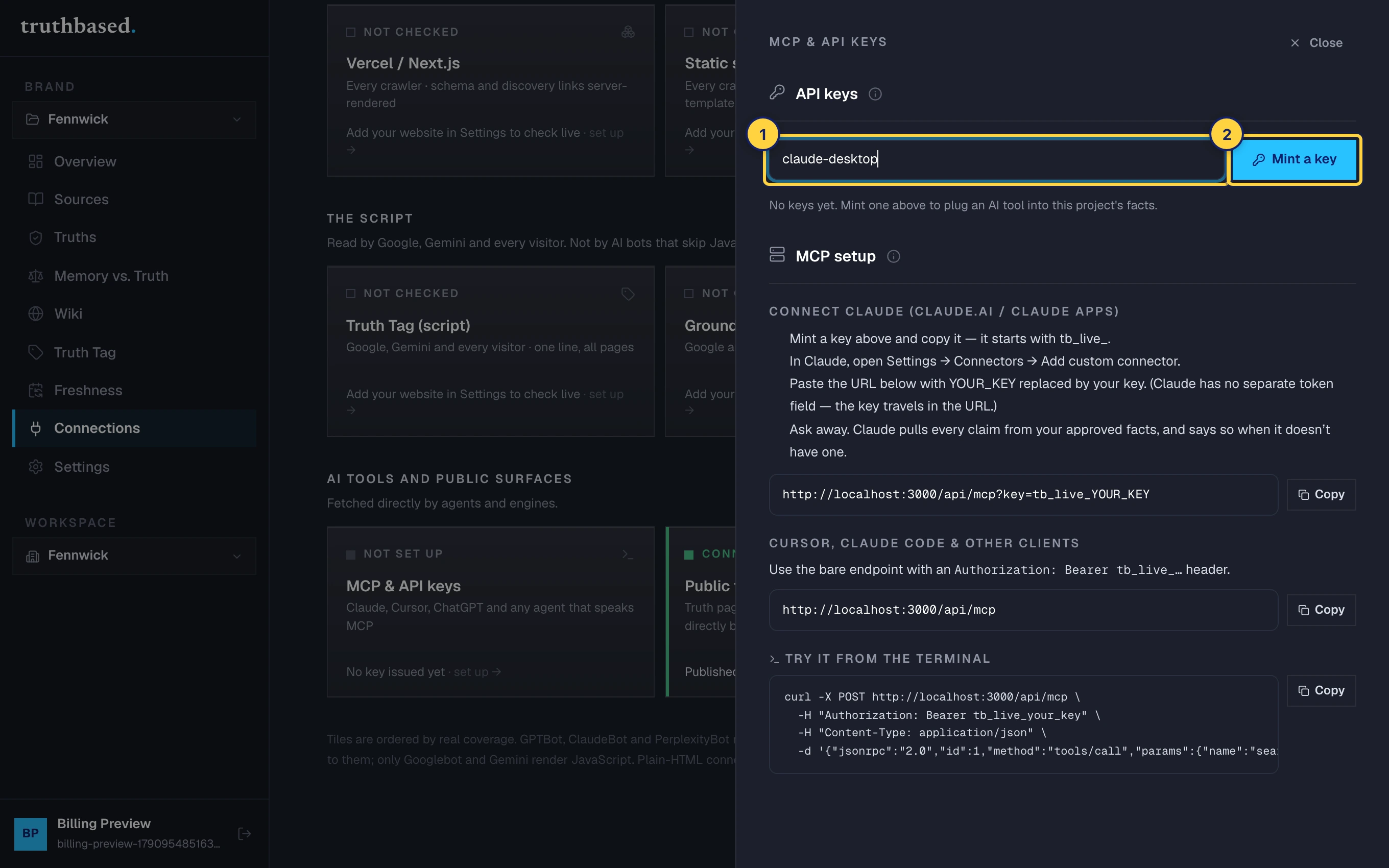
The API keys card. ① A name for the key. ② Mint a key. -
Copy it now. It starts with
tb_live_and this is the only time the full key is shown.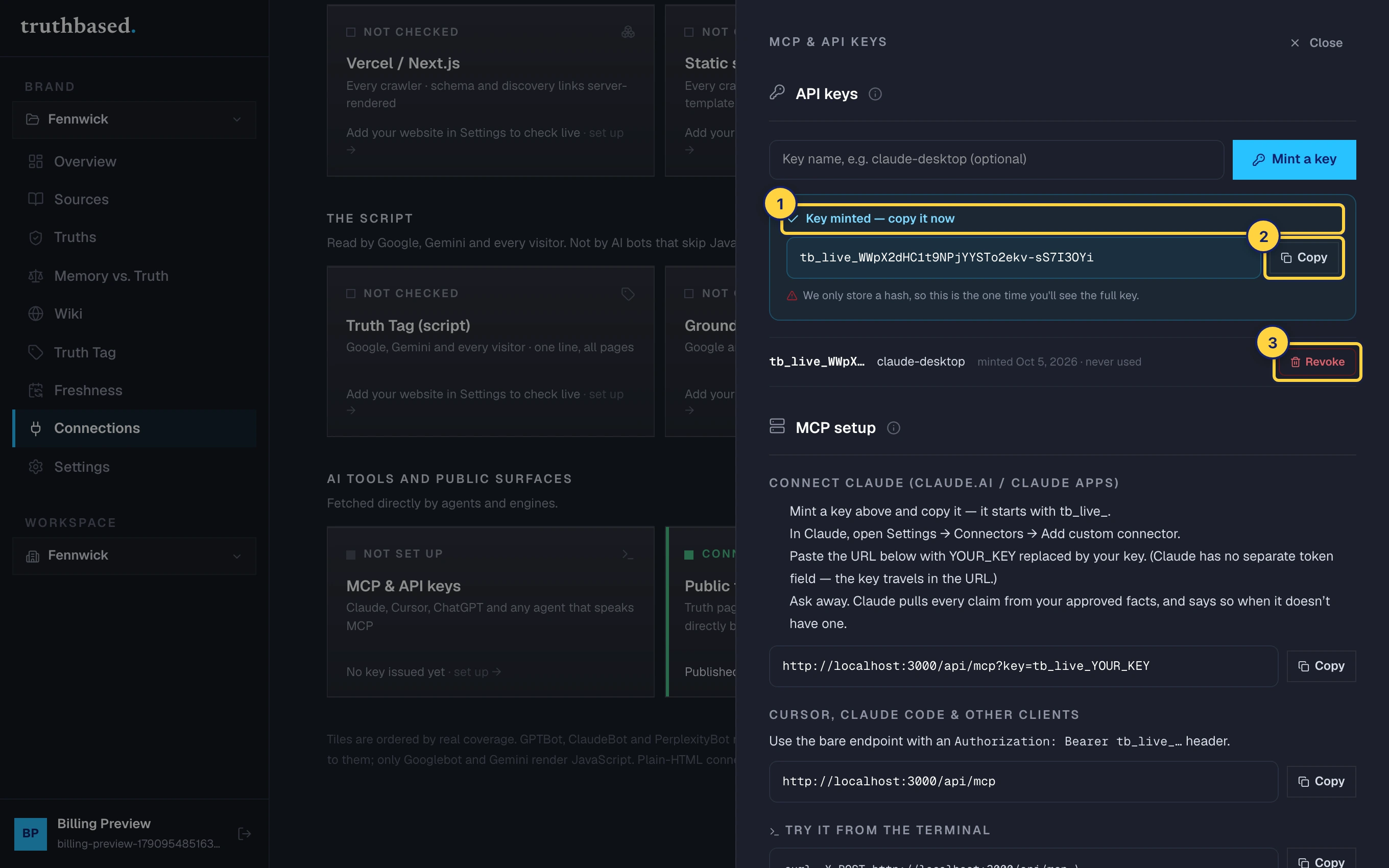
A fresh key. ① Copy it now, it is shown once. ② Copy. ③ Revoke, for later.
Every key in the list shows its first characters, its name, when it was minted and when it was last used. Revoke turns a key off at once, with no confirmation step. There is no delete; revoked keys stay in the list, marked.
Connect a tool
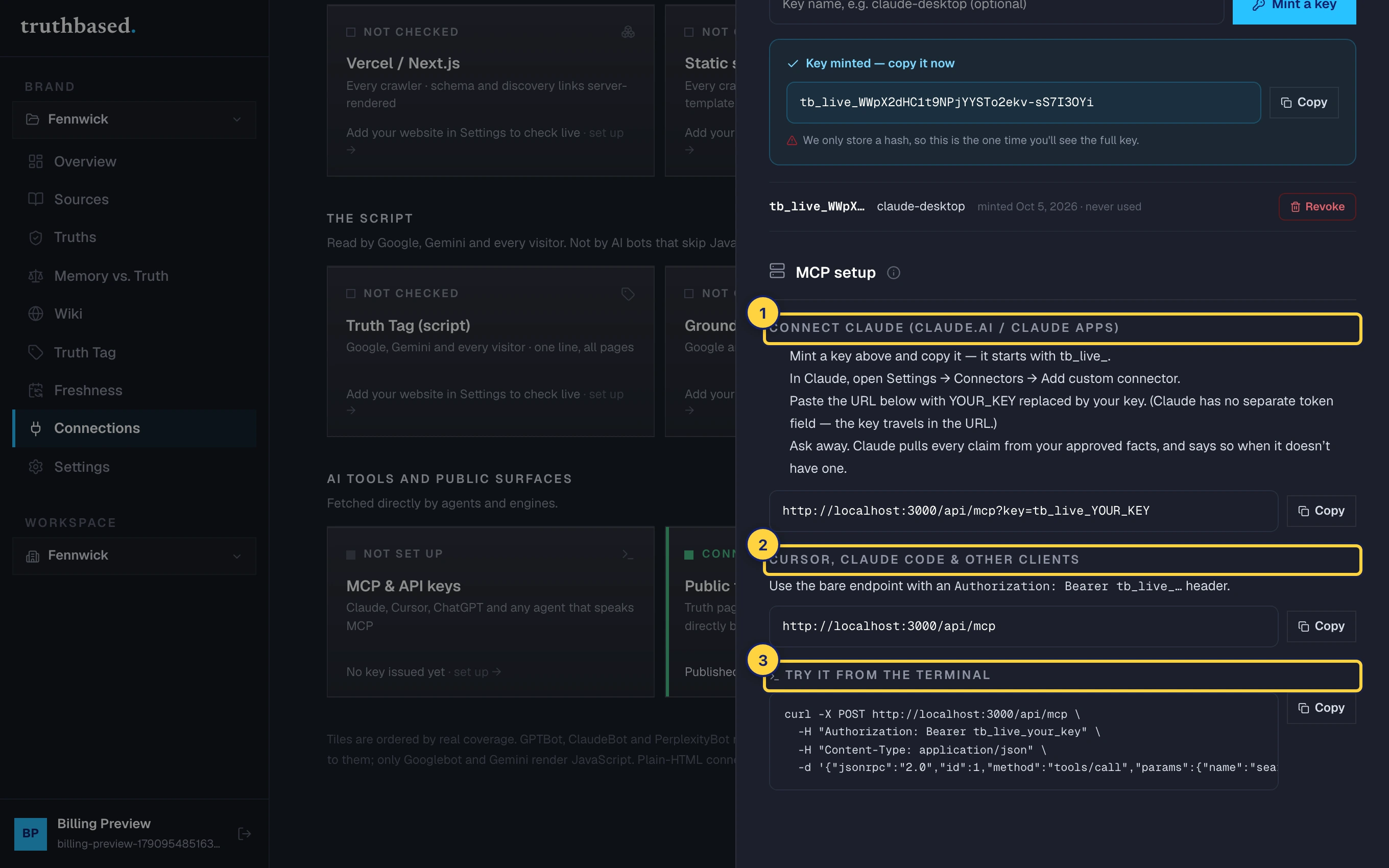
Claude
-
Mint a key and copy it.
-
In Claude, open Settings, then Connectors, then Add custom connector.
-
Paste the URL from the setup card with
YOUR_KEYreplaced by your key. Claude has no separate token field, so the key travels in the URL:https://truthbased.ai/api/mcp?key=tb_live_YOUR_KEY -
Ask Claude something about your brand. It pulls every claim from your signed facts, and says when it has none.
Cursor, Claude Code and other clients
Use the bare endpoint and send the key as a bearer header:
URL:    https://truthbased.ai/api/mcp
Header: Authorization: Bearer tb_live_YOUR_KEY
From the terminal
The setup card has a curl line to copy. It calls the search_facts tool with the query "pricing" and prints what an agent would receive.
What a tool gets back
| Tool | What it does |
|---|---|
search_facts | Facts matching a query, optionally within a category: pricing, feature, competitor, positioning, company. Ten by default, fifty at most. |
list_topics | The topics your facts are grouped under. |
get_topic | Everything under one topic. |
get_brand_profile | Name, slug, brand name and brand voice. |
Each fact carries the statement, the subject, property and value, the page it came from, when it was captured, a trust score from 0 to 100, how many sources corroborate it, and whether it is current, historical or deprecated.
If something is off
- 401, "Invalid, revoked, or missing API key". The key was revoked, mistyped, or sent without the
tb_live_prefix. Mint a new one. - The tool says it has no facts about a topic. That is the system working. Nothing signed off matches, so it declines to guess. Read more pages or sign off the facts waiting under Truths.
- The answers are stale. Facts update when you re-read pages and sign off the changes. See Freshness for the schedule.
What to do next
- The Truth Tag puts the same facts into your own pages.
- Public truth surfaces is where crawlers that do not speak MCP find them.