Truths, and why you sign them off
What a fact is, what the five tabs mean, and how to accept, correct or reject in a few minutes a week. Nothing goes public until you have.
The one rule
Truthbased reads your pages and pulls out facts. The machine does the reading. A person does the deciding. No fact reaches your public Truth page, your llms.txt, your schema or an AI tool through MCP until someone on your side has signed it off.
This is on purpose. AI answers about your brand are only as good as the facts behind them, and the machine cannot know that the "14 people" on your About page is two years old. You can.
What a fact looks like
Every fact is one sentence with proof attached: the exact words it came from, in quotes, and the page they are on. If the sentence is not on that page word for word, the fact says so, and that is your cue to look closely.
Facts come in two kinds. Most are brand claims: things your own site says about you. The rest come from pages you added as reference, partner or competitor sources, and they are kept apart so they can never be mistaken for your own words.
The five tabs
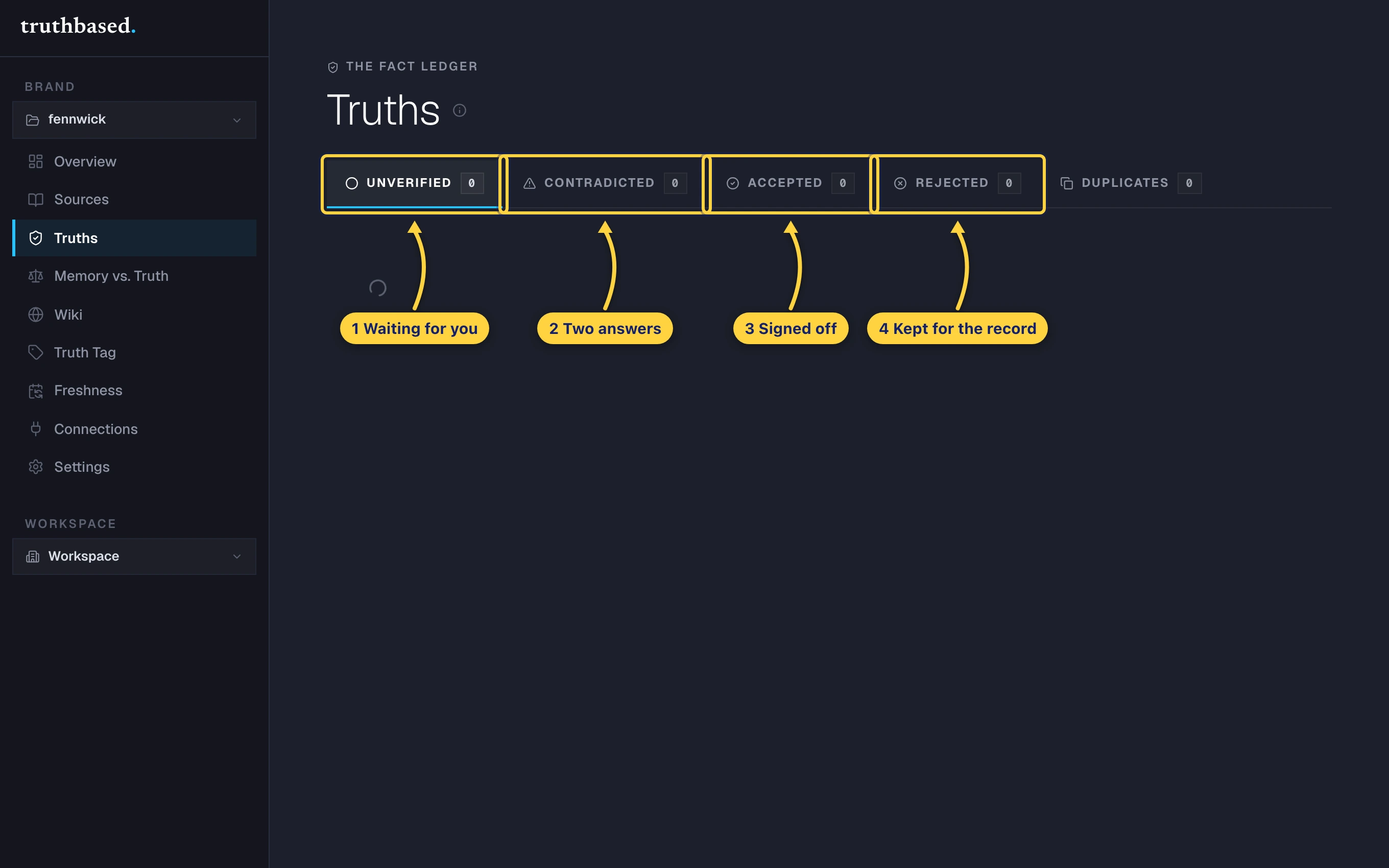
| Tab | What is in it | What you do |
|---|---|---|
| Unverified | New facts, and facts the machine accepted on its own that no person has signed yet | Accept, correct or reject each one |
| Contradicted | Two of your pages give different answers to the same question | Pick the right one |
| Accepted | Facts a person signed off. These are the only facts that go anywhere | Nothing, unless your site changes |
| Rejected | Facts you said no to. Kept so you can see why, and undo | Nothing |
| Duplicates | Near-identical facts a judge wants to fold into one | Say same or different |
The counts on the tabs are the whole picture. When Unverified and Contradicted read zero, you are done until your site changes.
Review one by one
-
On the Unverified tab, open a group. Each row is one fact: the sentence, the proof under it, and two buttons. A gold chip means the machine accepted it but you have not yet.
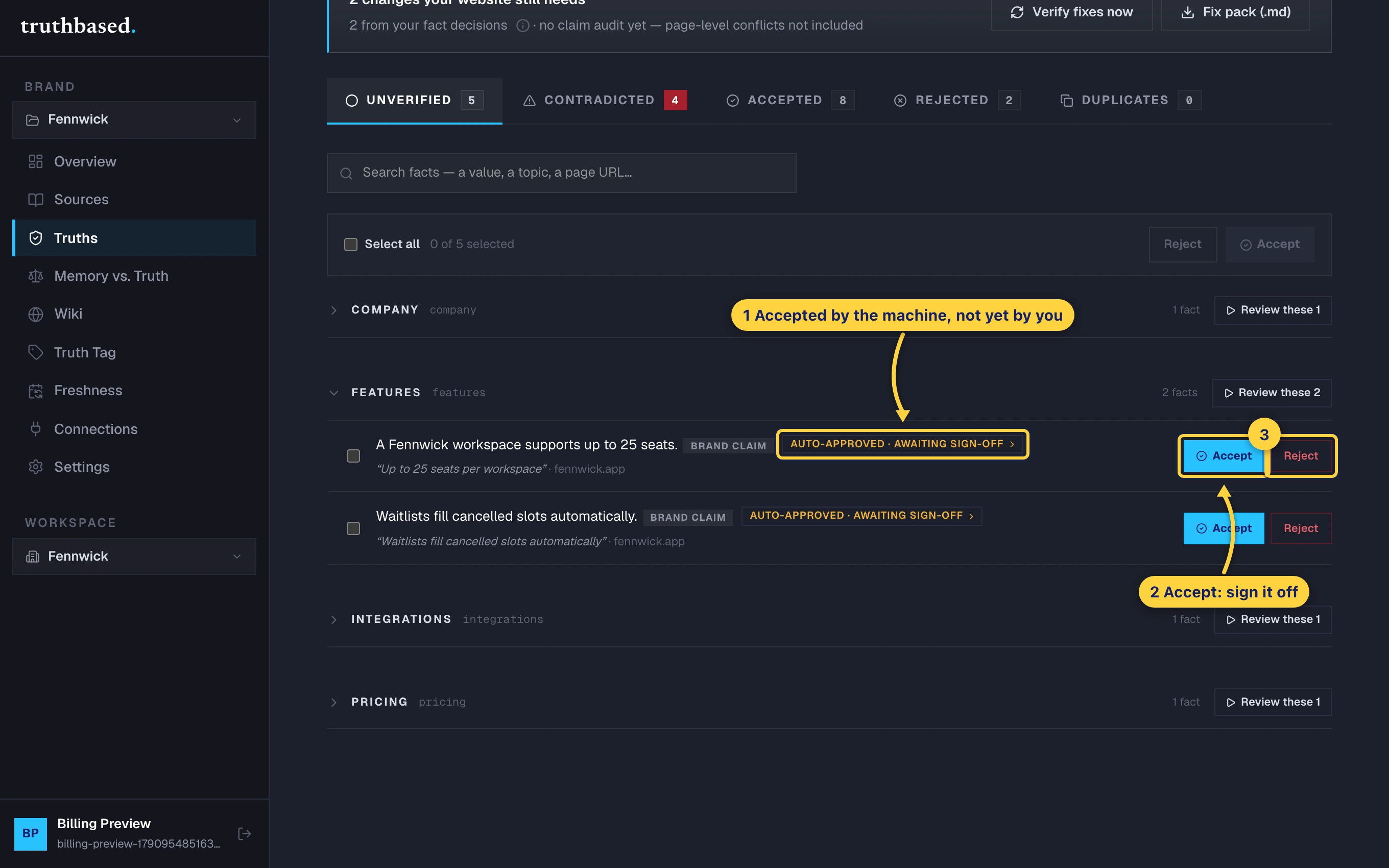
One fact row: the sentence, the quoted proof, the gold awaiting sign-off chip, and Accept and Reject. -
Accept signs it off. Reject asks for an optional reason and puts it under Rejected.
-
Faster: press Review at the top of the page. The deck shows one fact at a time, full screen, with keyboard shortcuts.
Routine facts, such as links, contact details and feature descriptions found word for word on your site, are grouped into one card. Approve them all with Enter, or go through them one by one.
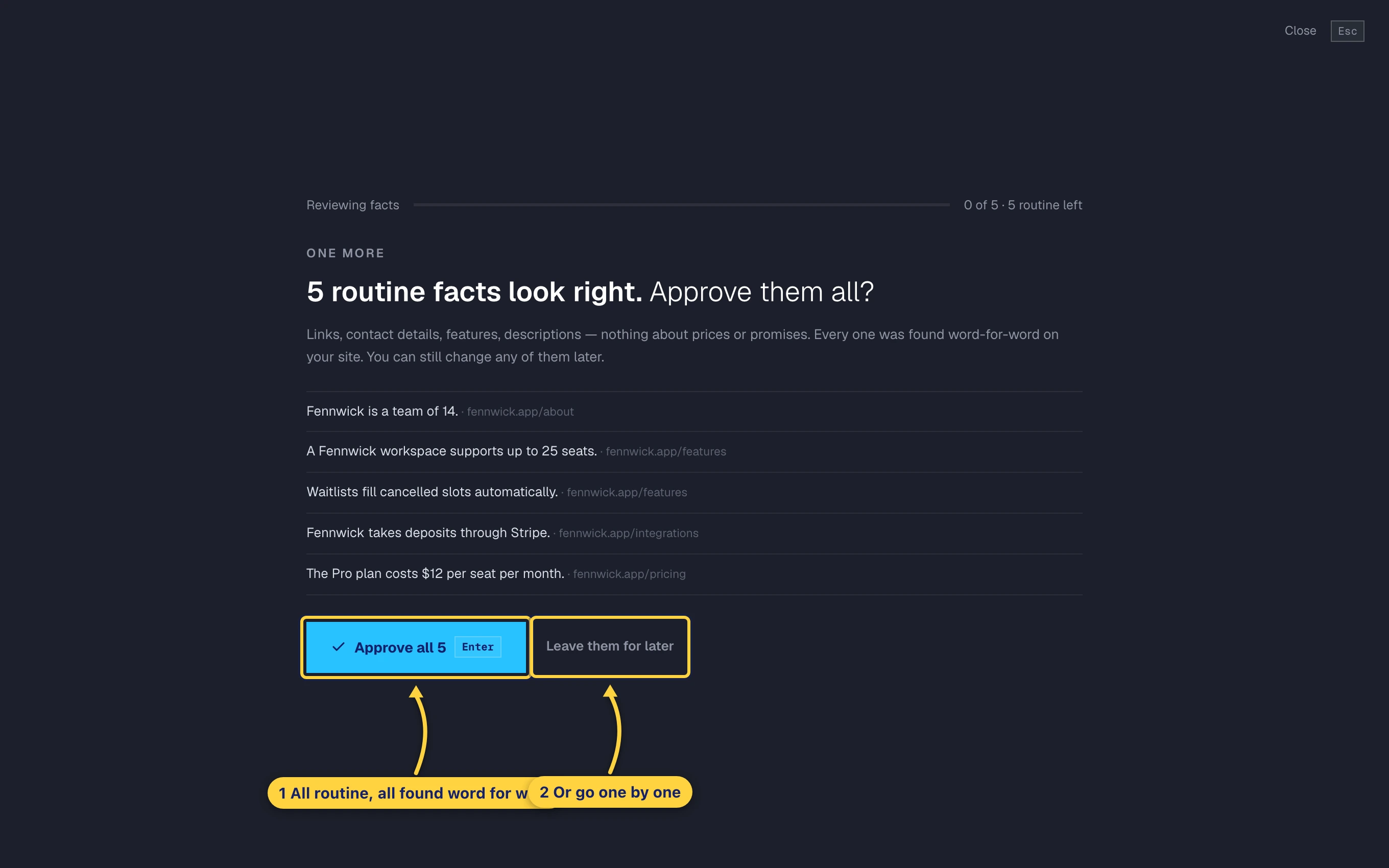
The routine batch: facts found word for word, approved together or left for later. -
Anything about money, numbers or promises gets its own card. Read the sentence, glance at the proof, and press one key.
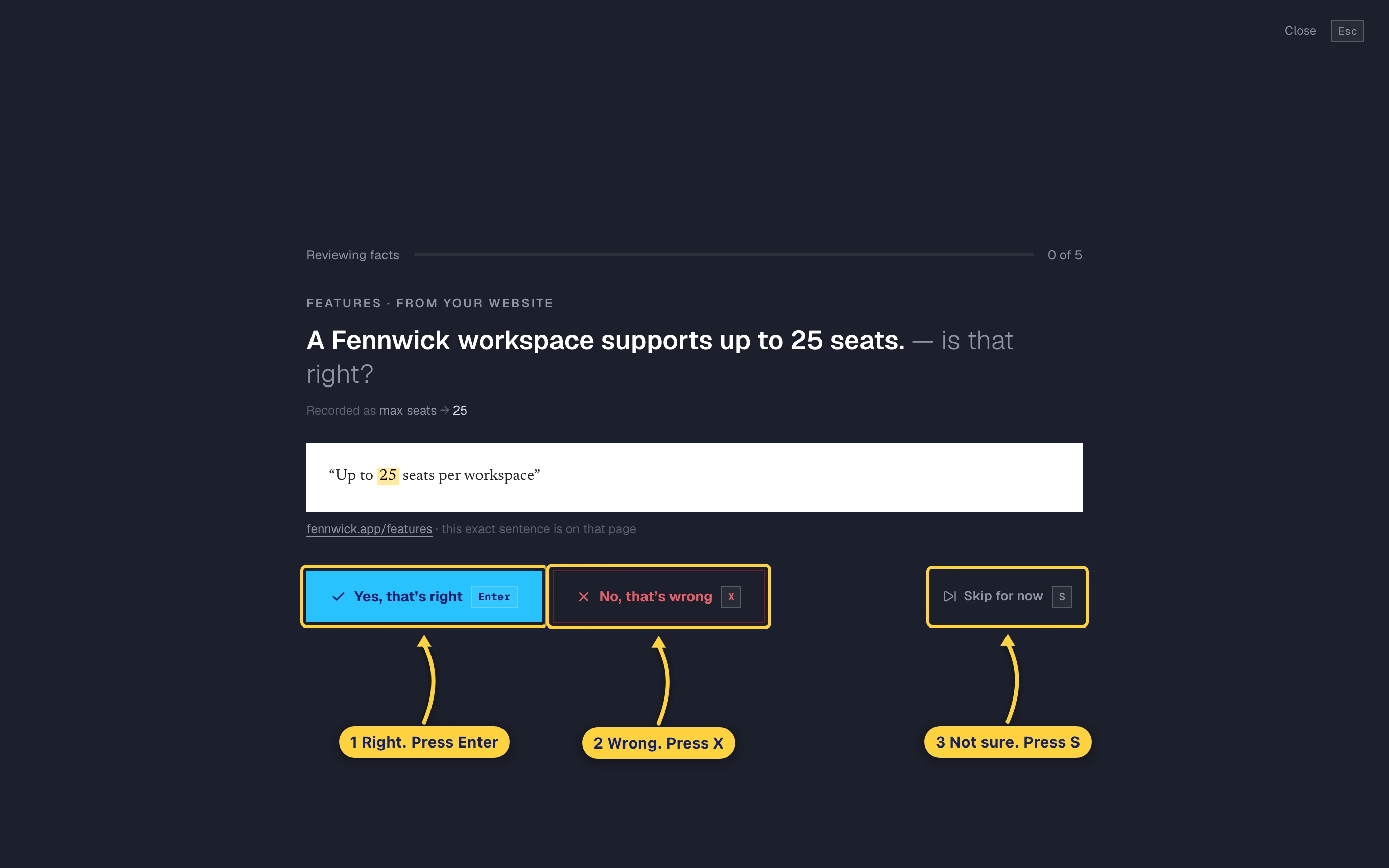
One card in the review deck. Enter for right, X for wrong, S to skip. -
When a fact is wrong, say what is right. Truthbased looks for a better value on your own pages and offers it. Or type the right value and save it as the truth. The page that said the wrong thing goes on your fix list.
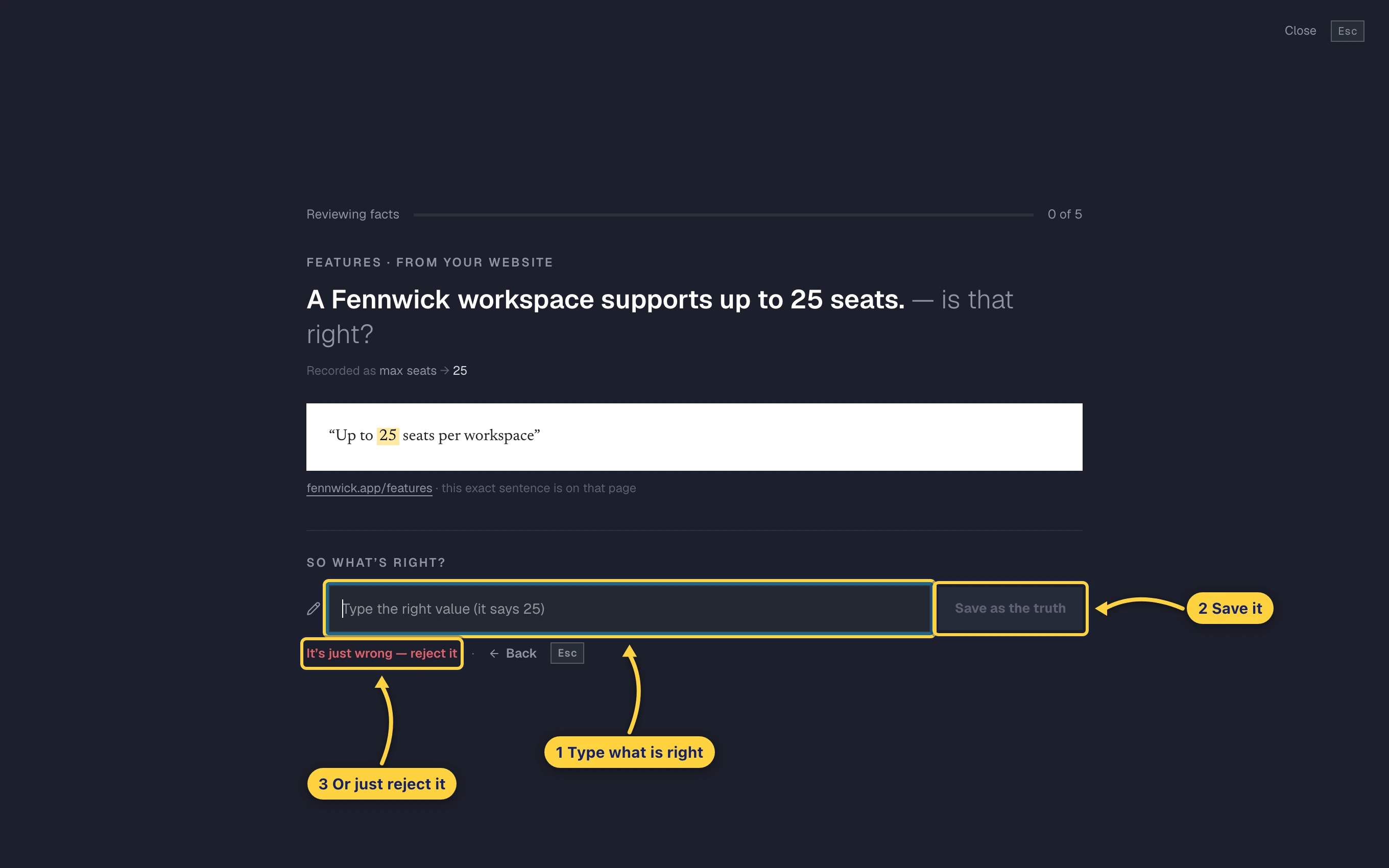
After pressing No: type the right value and save it as the truth, or reject the fact outright.
Resolve a contradiction
When two of your pages disagree, both facts land under Contradicted and neither is used until you decide. The cluster shows each answer with its page.
- All are true. They do not actually disagree, for example an old price and a new price for different plans. Everything stays.
- Only the one I ticked is true. Tick the right answer first. The other is marked wrong, and its page goes on your fix list so the site can be corrected.
- Neither is right. Write the correct sentence yourself. Both pages go on the fix list.
- Ignore these. None of them will be used anywhere.
The fix list is the banner at the top of the Truths page. It counts the changes your website still needs, and Fix pack gives you the list as a file to hand to whoever edits the site. Verify fixes now re-reads those pages and clears the ones that are done.
Handle many at once
Tick Select all on the Unverified tab, or tick a few rows, and the bar at the top accepts or rejects the lot.
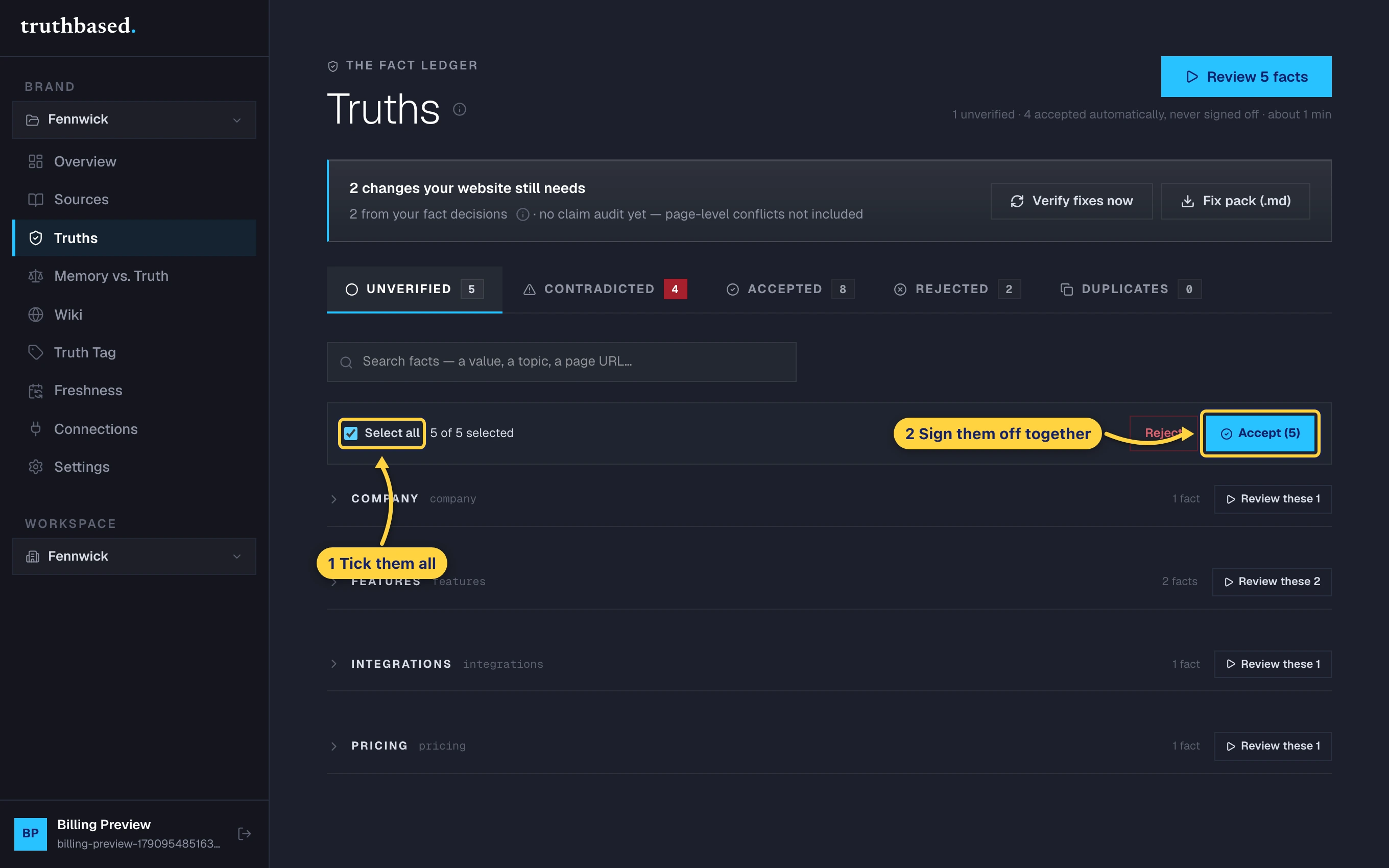
Use this for a first pass over a site you know well. Then let the deck handle the trickle of new facts after each re-read.
How often
Once a week is plenty for most brands. After every read, new or changed facts land in Unverified and you get an email. Ten facts take about two minutes in the deck.
What to do next
- Prove you own your domain and publish your Truth page, once the Unverified count is zero.
- Bring your own AI key to find out what AI currently says about you, against the facts you just signed.